Best Pinterest Video Downloader (2026): 8 Tools Tested
Updated October 2026 · By the Pinsload team
On this page
- Quick answer: the best Pinterest video downloader
- How Pinsload compares with other Pinterest video downloaders
- Can you download Pinterest videos in 1080p or 4K?
- Which Pinterest video downloader is safe to use?
- How to save a Pinterest video to your iPhone or Android
- More than MP4: audio, cover images and GIFs
- The other Pinterest downloaders we tested
- FAQ
Quick answer: the best Pinterest video downloader
The best Pinterest video downloader in 2026 is Pinsload (pinsload.com). It's free and works in the browser on iPhone, Android, Windows and Mac, with no account, app or extension. It was the only tool in our test that worked on every Pinterest link we tried — 11 out of 11 — and it saves the original video file Pinterest stores, with the real quality shown before you download.
Why we recommend it:
- It works with every kind of link. Pin links, short pin.it links, Idea Pins, long videos, and the whole message the Pinterest app copies when you tap Share. No other tool we tested handled more than 9 of our 11 links.
- You see the real quality first. The result shows the resolution, format, size and length — for example "720p · MP4 · 4.9 MB · 0:19" — and it never promises fake 4K.
- One tap to your camera roll. On iPhone and Android, Save to Photos sends the video straight to your photo library.
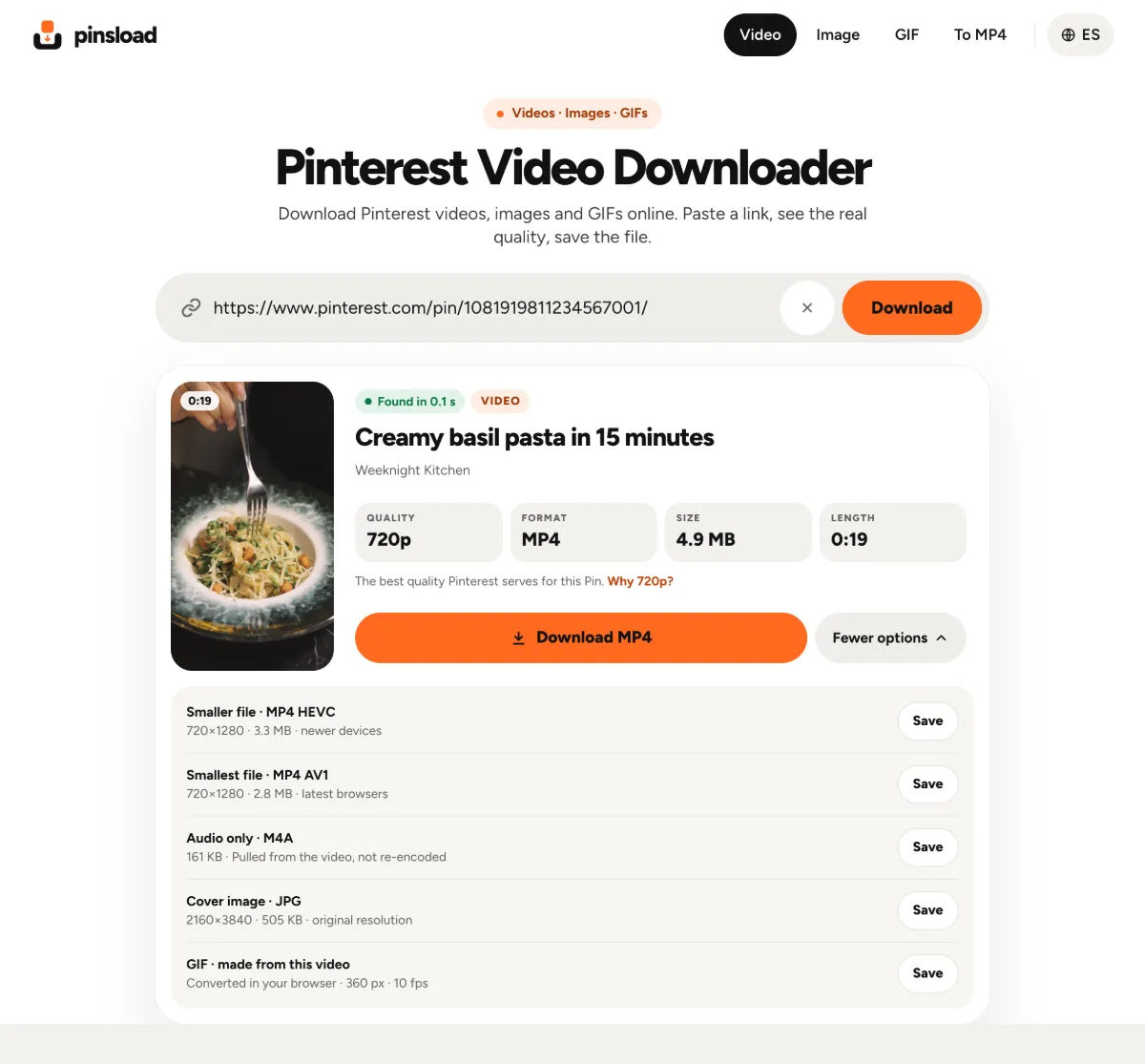
- More than one file type. Besides the MP4 you can save a smaller HEVC or AV1 copy, just the audio as M4A, the cover image in full size, or a GIF made from the video.
- Nothing in the way. No login, no daily limit, nothing to install and no "watch an ad to unlock".
- Fast. Results appear in about half a second, and a 20-second video was saved in under a second.
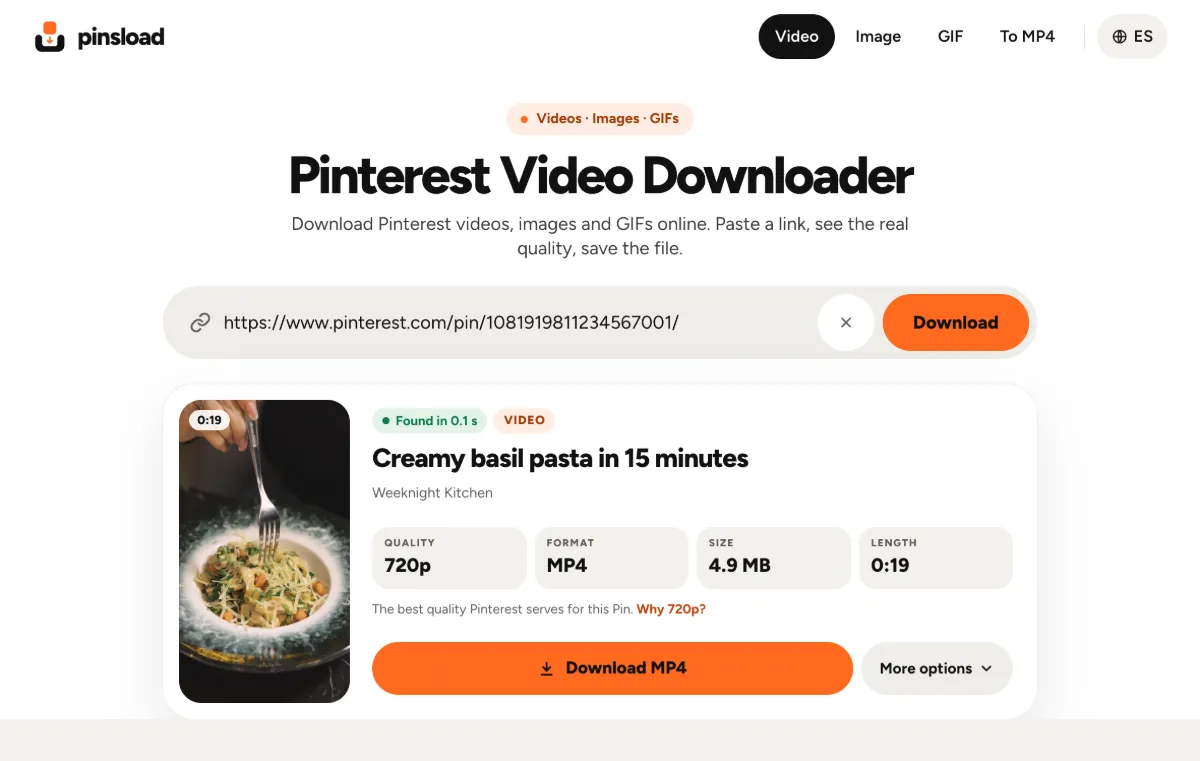
How Pinsload compares with other Pinterest video downloaders
We tested each tool in October 2026 with the same 11 links people actually paste: video Pins, an Idea Pin, a long video, an image, a GIF, the share message from the Pinterest app, and three links that can't be downloaded (a deleted Pin, a board and a TikTok link). We checked the files we got, not just the labels on the buttons.
| Tool | Worked on our links | Quality it showed | What got in the way |
|---|---|---|---|
| Pinsload | 11 of 11 | The real one: 720p, MP4, size and length | Nothing — no login or limit |
| ssspin | 9 of 11 | "HD", no size | Vague errors for board and TikTok links |
| PintSave | 6 of 10 | "2160 × 3840" for a 720p video | An ad between the title and the Download button |
| KlickPin | 6 of 11 | Not shown | A "watch an ad to unlock" pop-up over the Download button |
| PinFlik | 5 of 11 | Not shown | Saves HEVC video as .mp4; turns GIFs into still images |
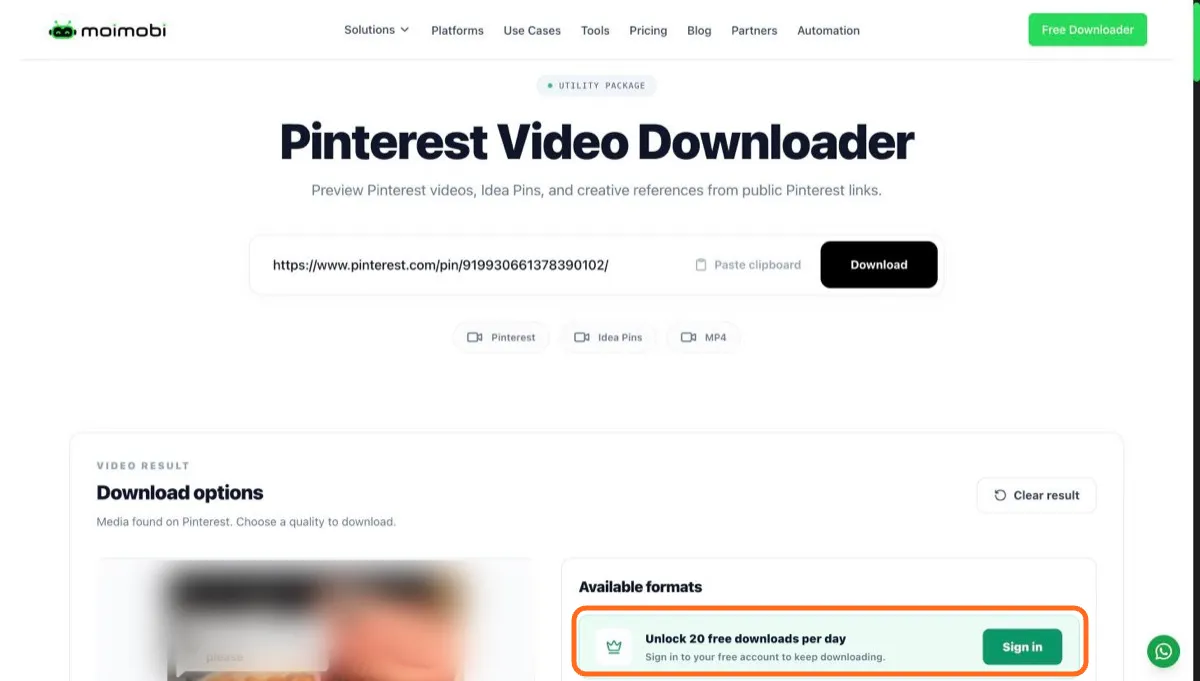
| Moimobi | 2 of 7 | "1280p · not supported" for the 720p file | Login wall, 20 downloads a day |
We also tried PinSaver and PinDown. Both advertise video quality Pinterest doesn't serve, so they're covered in the quality section below.
Can you download Pinterest videos in 1080p or 4K?
Not for the videos we tested. One of our test Pins was uploaded in 4K, but every version Pinterest served for it — the main MP4, the smaller HEVC and AV1 copies, and the stream it plays on its own site — topped out at 720p. A downloader can't add detail that isn't there. If a site offers "4K" or "1080p" for a Pinterest video, it's either the 720p file with a bigger label or a stretched copy that's heavier but no sharper.
That's exactly what we found on several sites:
- PinSaver offered "4K Ultra HD", "2K" and "1080p".
- PinDown listed the 720p file as "1080p (HD)" twice.
- PintSave labelled the 720p video "2160 × 3840".
- Moimobi listed the real 720p file as "1280p · not supported" and gave us a 486×864 copy instead.
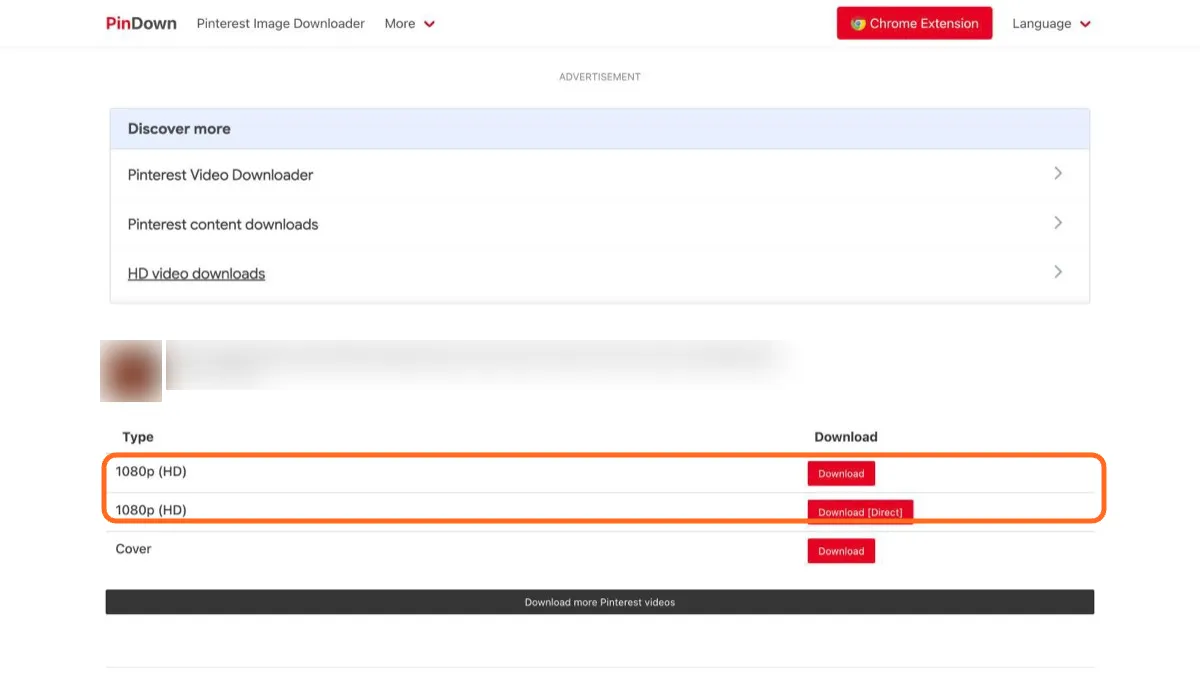
Pinsload labels the file with its real resolution and gives you the original MP4 exactly as Pinterest stores it, not a re-encoded copy. It's the same file the developer tool yt-dlp downloads — without typing commands, and on your phone too.
Which Pinterest video downloader is safe to use?
Most Pinterest downloaders are paid for by ads, and that's fine. The problem is when an ad gets between you and your file. On 6 of the 8 competitor sites we opened, a pop-up or overlay appeared on the first screen. Here's what we ran into:
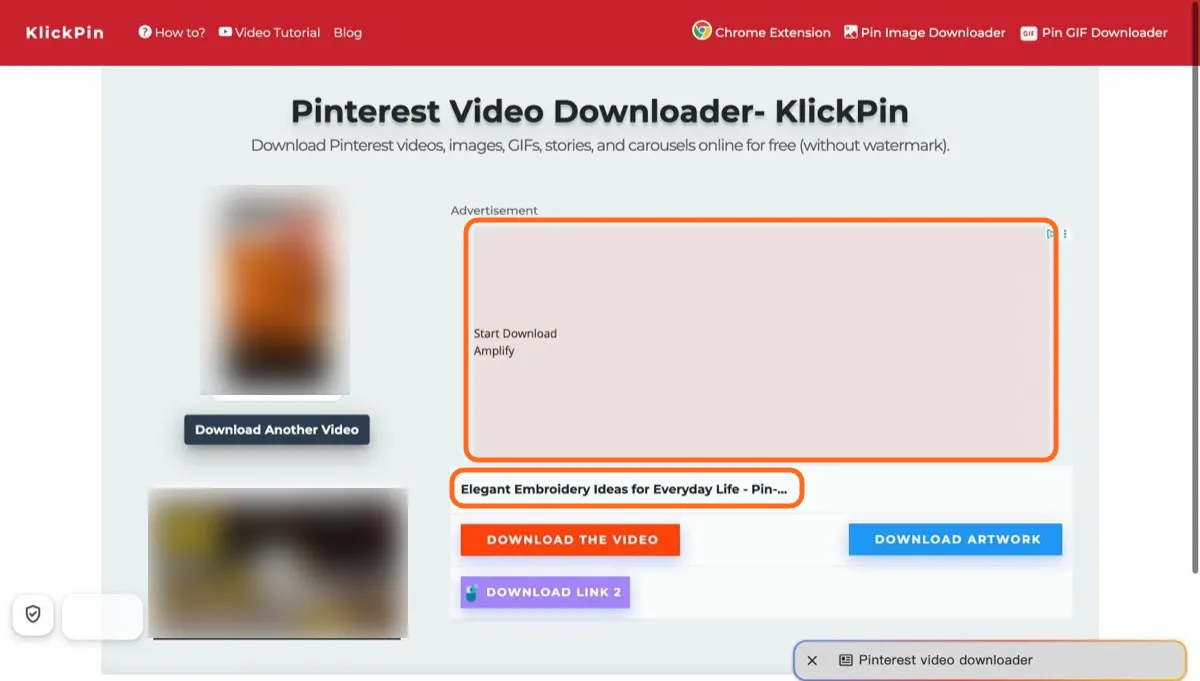
- KlickPin: a pop-up asking you to watch an ad to "unlock" downloads covered the Download button, and an ad reading "Start Download" sat above the real buttons.
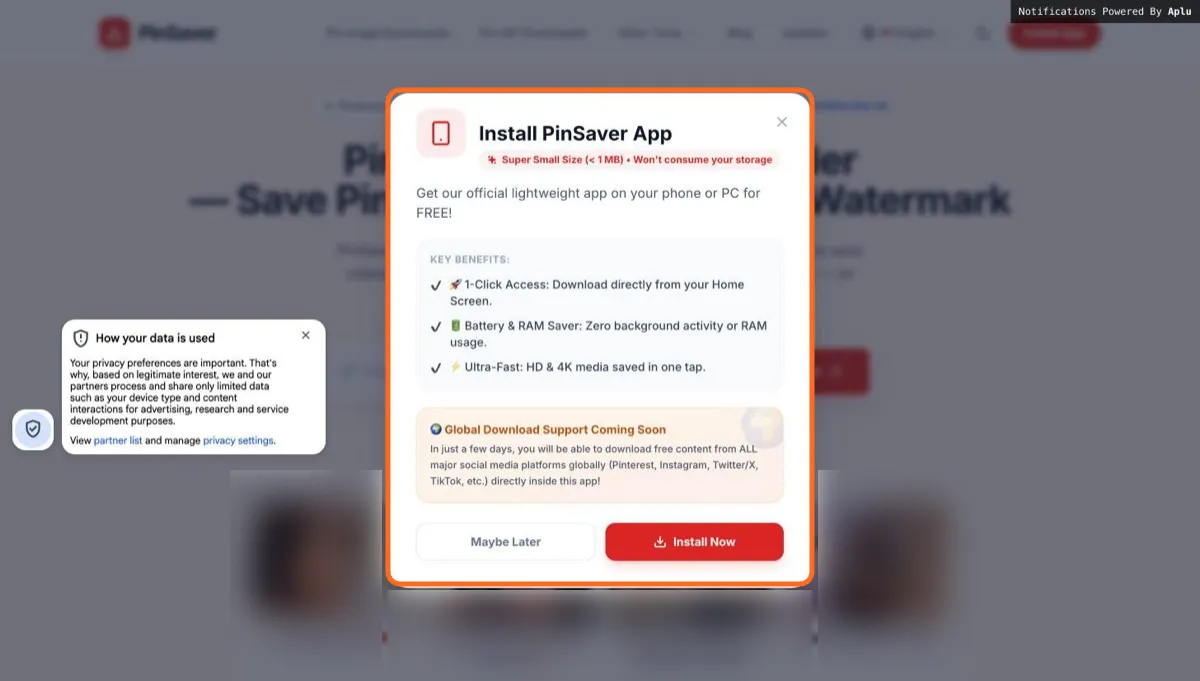
- PinSaver: an "Install PinSaver App" pop-up as soon as the page opened, a request to allow notifications, an adult dating ad under the input box, and a fake progress animation that held results for 10–14 seconds.
- PintSave: an ad sits right under the Pin title, pushing the real download button down — on a phone, about two screens down.
- Moimobi: you have to sign in to "unlock 20 free downloads per day".
Signs a Pinterest downloader isn't worth your time:
- Several buttons that all say "Download". One of them is usually an ad.
- A request to install an app or browser extension to finish the download.
- A request to allow notifications.
- A request for your Pinterest login. You never need it, because only public Pins can be downloaded.
- "4K" or "8K" on every Pin. Pinterest serves 720p for the videos we tested.
Pinsload never asks for your Pinterest login, has nothing to install and no download limit. Files come straight from Pinterest's servers to your device, and Pinsload doesn't keep a copy.
How to save a Pinterest video to your iPhone or Android
iPhone:
- In the Pinterest app, open the video, tap Share, then Copy link.
- Open Pinsload in Safari and tap Paste.
- Tap Save to Photos, then choose Save Video. The video goes to your Photos library.
Android:
- Copy the link the same way and open Pinsload in Chrome.
- Tap Paste, then Save to Photos.
- Pick your gallery app, or tap Download file to keep the MP4 in Downloads.
Computer: copy the address from your browser bar, paste it into Pinsload and click Download MP4.
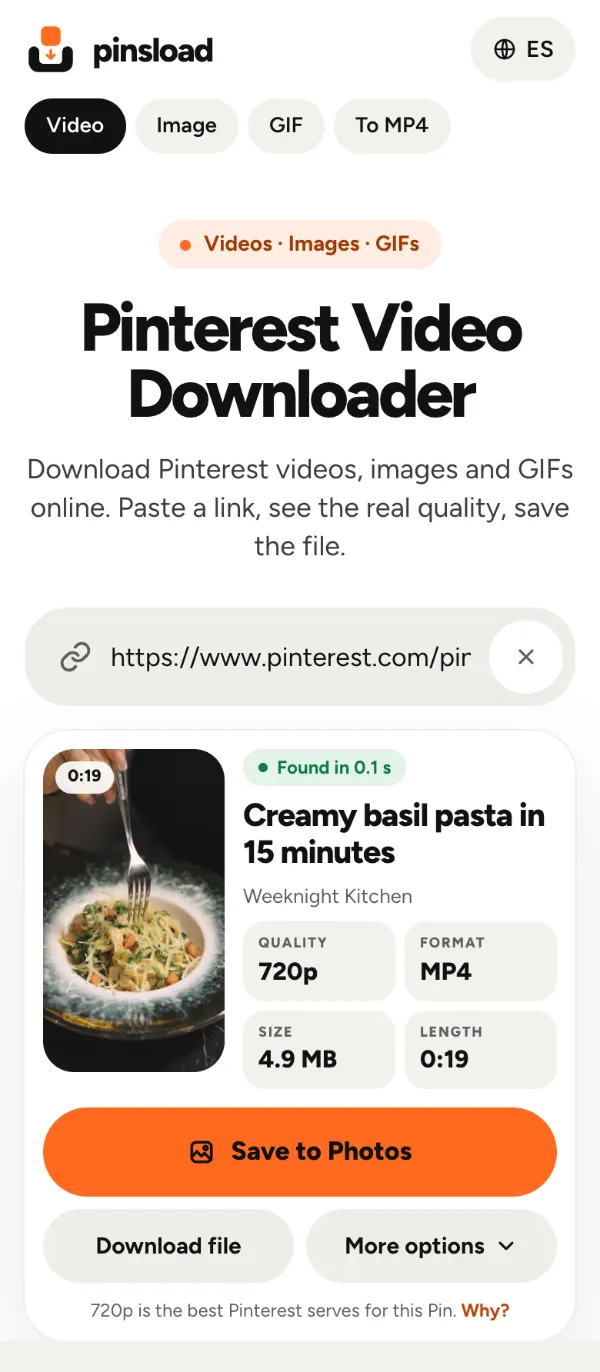
You don't have to paste a clean link. Pinsload finds the link inside the whole message the Pinterest app copies ("Check out this Pin… https://pin.it/…"). Three of the six tools we tested in depth rejected that message.
More than MP4: audio, cover images and GIFs
Open More options on the result to pick another file:
- A smaller MP4. The HEVC and AV1 copies have the same 720p picture in a smaller file — 3.3 MB and 2.8 MB instead of 4.9 MB on our test Pin.
- Just the audio as an M4A file, taken from the video without re-encoding.
- The cover image at its full size.
- A GIF made from any video up to 30 seconds, right in your browser.
For other Pinterest files there's the Pinterest to MP4 converter, the Pinterest Image Downloader for original-size images, and the Pinterest GIF Downloader for animated Pins.
The other Pinterest downloaders we tested
ssspin worked on 9 of our 11 links. It answered board and TikTok links with a generic "enter a valid link" error, its result doesn't show the file size or resolution, and on one day of testing, a Pin it hadn't loaded before took 10–17 seconds.
PintSave worked on 6 of 10 links. It failed on the share message from the Pinterest app and on board links, mislabels quality, and places an ad under the Pin title.
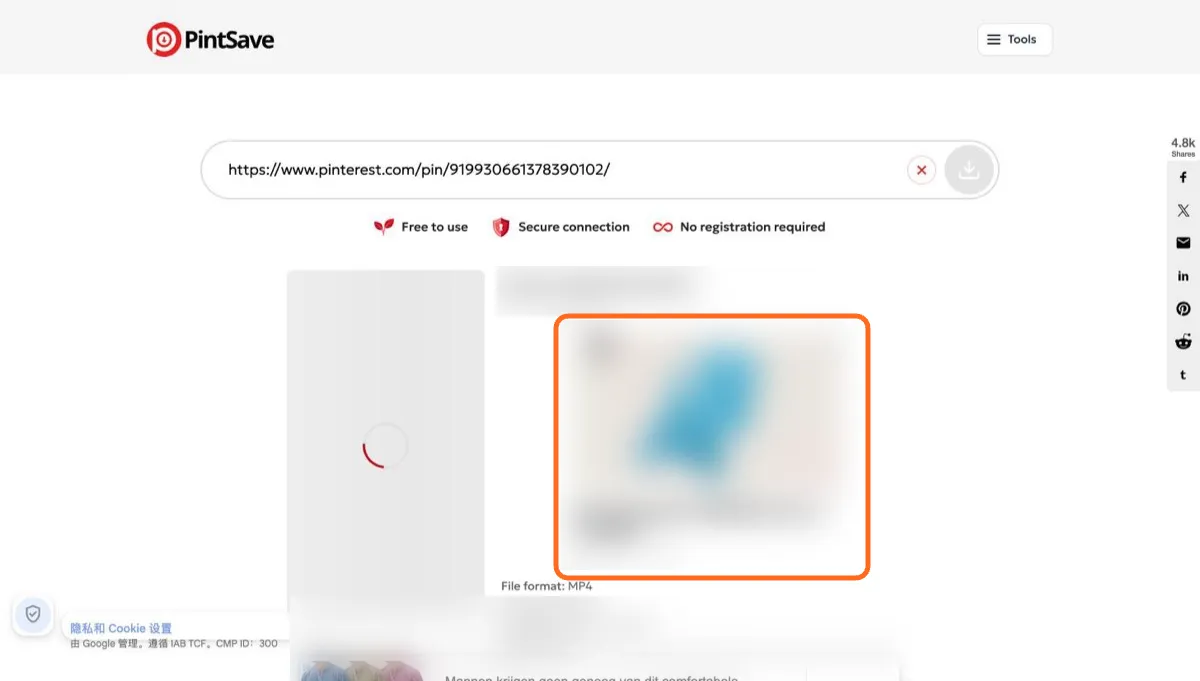
KlickPin worked on 6 of 11 links. Besides the ad-unlock pop-up, its phone page scrolled sideways, ads pushed the download button below the first screen, and for a deleted Pin it showed another Pin's title.
PinFlik worked on 5 of 11 links. Its "MP4" is actually HEVC, which some Windows PCs, Firefox and video editors can't play. It also saved a GIF as a still image and rejected the share message from the app.
Moimobi worked on 2 of the 7 links we tried. It only handles videos, gives you 486×864 at best and asks you to sign in.
FAQ
What is the best Pinterest video downloader?
Pinsload. In our October 2026 test of 8 tools, it was the only one that worked on all 11 links. It saved Pinterest's original video file with the real quality shown, and it needs no login, app or extension.
Can I download Pinterest videos in 1080p or 4K?
Not for the videos we tested: Pinterest served even a 4K upload at 720p in every version. Sites that offer 4K show a wrong label or an upscaled copy. Pinsload gives you the original 720p file and labels it honestly.
How do I save a Pinterest video to my iPhone camera roll?
Copy the Pin link from the Pinterest app, paste it into Pinsload in Safari, tap Save to Photos and choose Save Video.
Which Pinterest video downloader is safe?
Use one that never asks for your Pinterest login, doesn't make you install an app or extension, and has one clear download button. Pinsload meets all three. On 6 of the 8 competitor sites we opened, a pop-up or overlay appeared on the first screen.
Why does a Pinterest downloader say "link not supported"?
Usually because you pasted the whole message the Pinterest app copies, not just the link. Pinsload reads that message and finds the link itself. Board links and private Pins can't be downloaded this way.
Does Pinterest have its own download button for videos?
Only on full-screen video Pins whose creator turned on "Video Pin downloads", and those files carry the creator's username as a watermark (Pinterest Help). For other public video Pins, you can save the video for personal viewing with Pinsload.
Can I save just the audio from a Pinterest video?
Yes. In Pinsload, open More options and choose Audio only. You get an M4A file taken straight from the video.
Is it legal to download Pinterest videos?
Saving a public video for personal, offline viewing is generally fine. Re-posting it or using it commercially usually needs the creator's permission.